Start with the plan.
Bring a 2D plan, an exported drawing, a photo or a reference. Review the room interpretation and confirm the layout before developing the design.


THE WORKSPACE FOR YOUR NEXT DESIGN.
From the first plan to the client conversation. An AI-assisted design workspace built around your team and the way it works.
Book a free Studio demo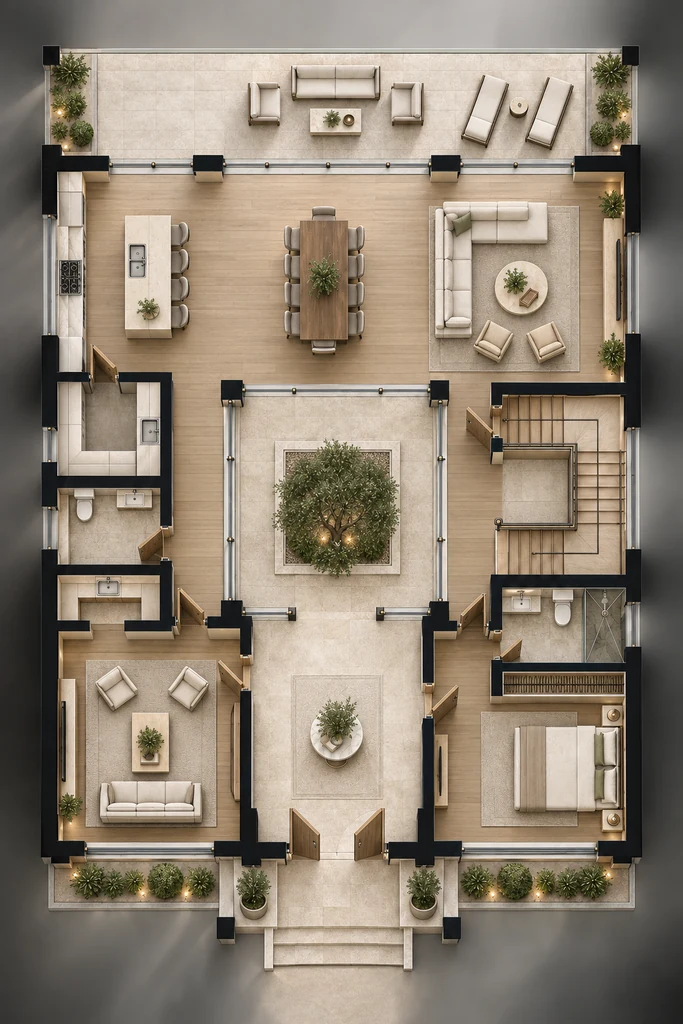
FOR ENGINEERING & INTERIOR TEAMS
A connected place to develop the idea and move the project forward.
Studio brings AI-assisted design and visualization together with references, materials, presentations and collaboration. Your company’s way of working stays at the centre of the experience.
Explore the space, refine the visual direction and prepare the conversation with the client. Keep the team’s tasks and discussions close to the project.
FROM PLAN TO PRESENTATION
AI supports the exploration. Your team reviews and directs the work.
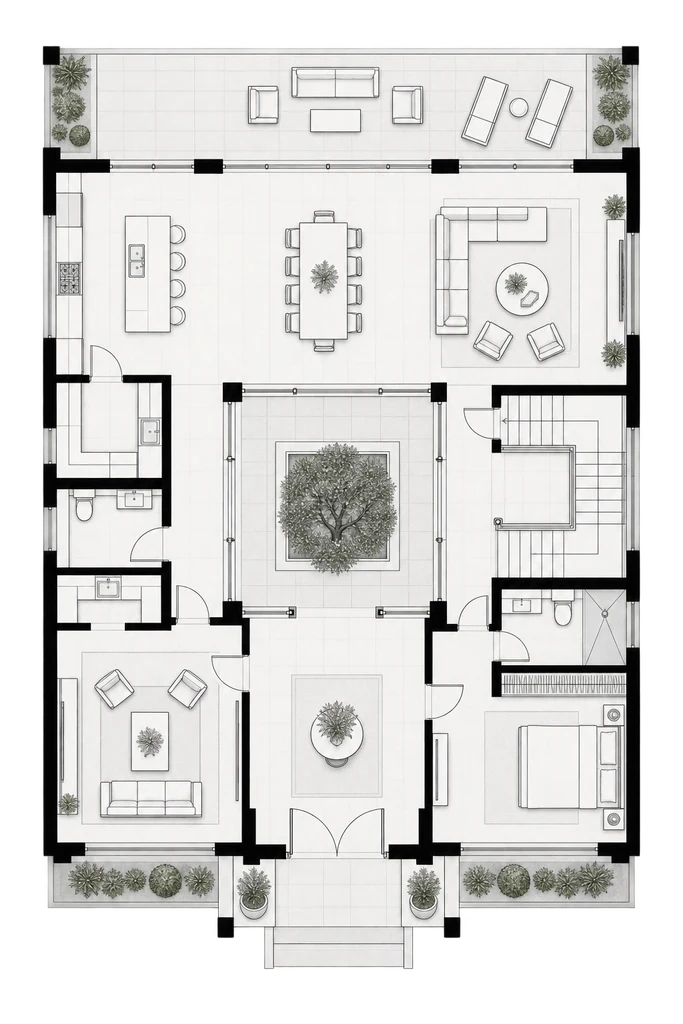
Bring a 2D plan, an exported drawing, a photo or a reference. Review the room interpretation and confirm the layout before developing the design.
Choose the direction and work through the walls, flooring, ceilings, openings, lighting and furniture. Keep the design tied to the agreed brief.
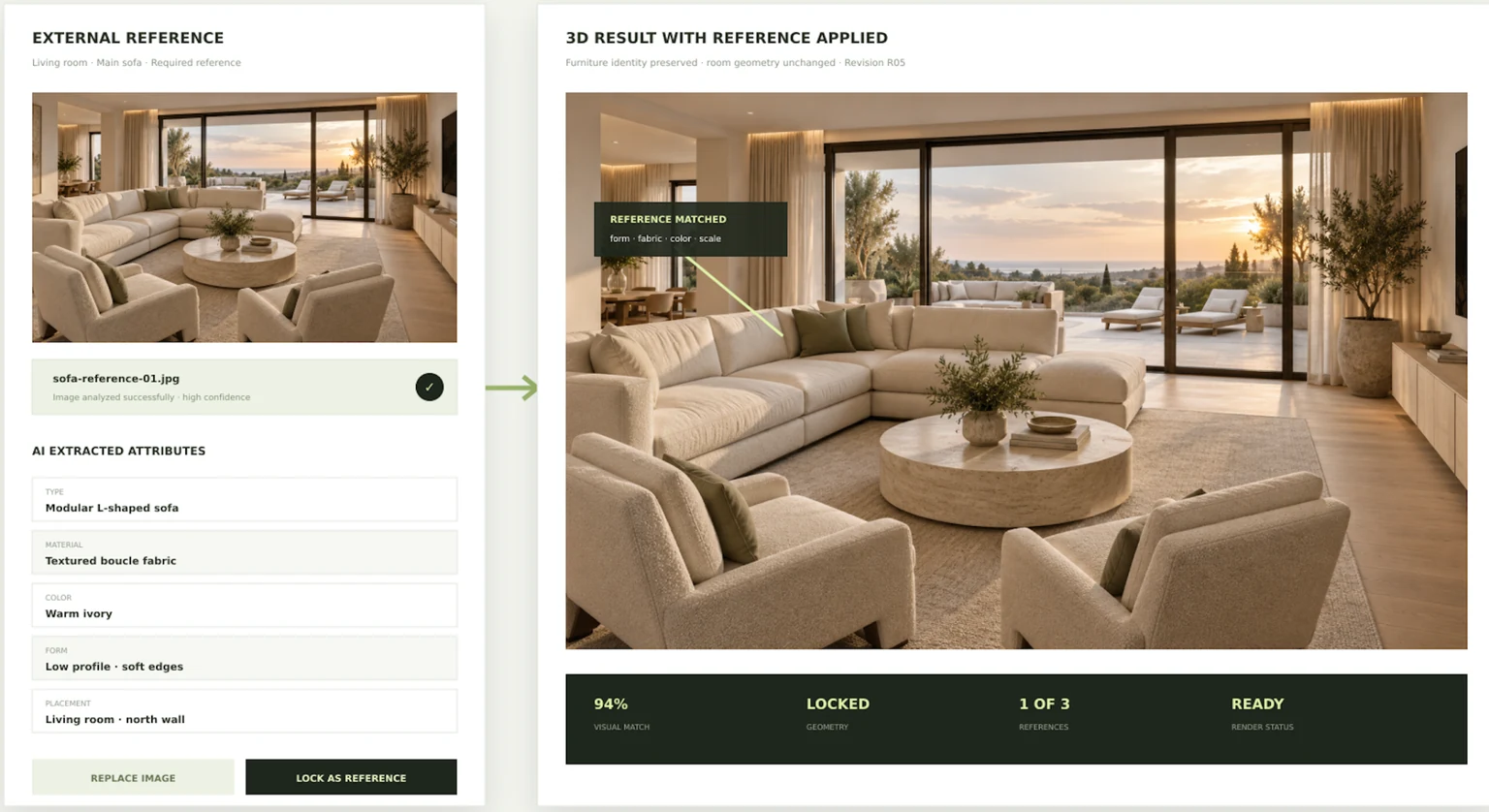
Develop AI-assisted visuals, apply material references and request focused changes. Review the results and keep control of the design decisions.
Bring the approved visuals and materials into a client presentation. Keep the team aligned around the project, tasks and next decisions.
WORK WITH YOUR OWN CONTEXT
Move from a plan or reference into room understanding and visual development. Start with the space you actually need to design.
Use your own references, material choices and company instructions to guide the visual work.
Develop room views, refine details and explore panoramic presentation workflows. Turn the direction into something a client can review.
Organize shared projects, invitations, tasks and conversations. Keep the work and its context together.
MAKE THE DIRECTION TANGIBLE
Bring the visuals, selected materials and design intent into one presentation. Refine the result with feedback and keep the next steps clear for the client and the team.
See the Studio workflow
PART OF THE BRIVOX HUB DIRECTION
Studio belongs in the planned Hub ecosystem alongside our company workspace and restaurant and café products.
Understand BRIVOX HubBEFORE WE WALK YOU THROUGH IT
Engineering offices, interior design teams and finishing companies that want a connected workflow for design development, visualization, presentations and collaboration.
The workflow starts from 2D plans, images and design references. We can walk through the supported import formats and your actual files during a demo.
Shared projects, team invitations, tasks and conversations are part of the Studio direction. A demo is the best way to review the current workflow with your team.
No. Visualizations help explore and communicate a design. A qualified professional must check dimensions, construction details, material suitability and relevant requirements before execution.
Book a free conversation and ask for a walkthrough. We’ll explain current availability, the seven-day trial and the product features relevant to your company. No subscription is created through this introduction page.
SEE HOW STUDIO FITS YOUR TEAM.
Book a free meeting and demo. Ask us about current availability and the seven-day Studio trial.
Your engineering partner.